Explore VoiceToVisual: Your Speech-to-Visual Solution
- Claire McClintock
- Jun 23
- 4 min read

In a world where communication is key, the ability to convey ideas clearly and effectively is more important than ever. Imagine transforming your spoken words into engaging visuals that enhance understanding and retention. This is where VoiceToVisual comes into play. This innovative tool allows users to convert speech into visual content seamlessly, making it an invaluable resource for educators, content creators, and anyone looking to enhance their communication skills.
What is VoiceToVisual?
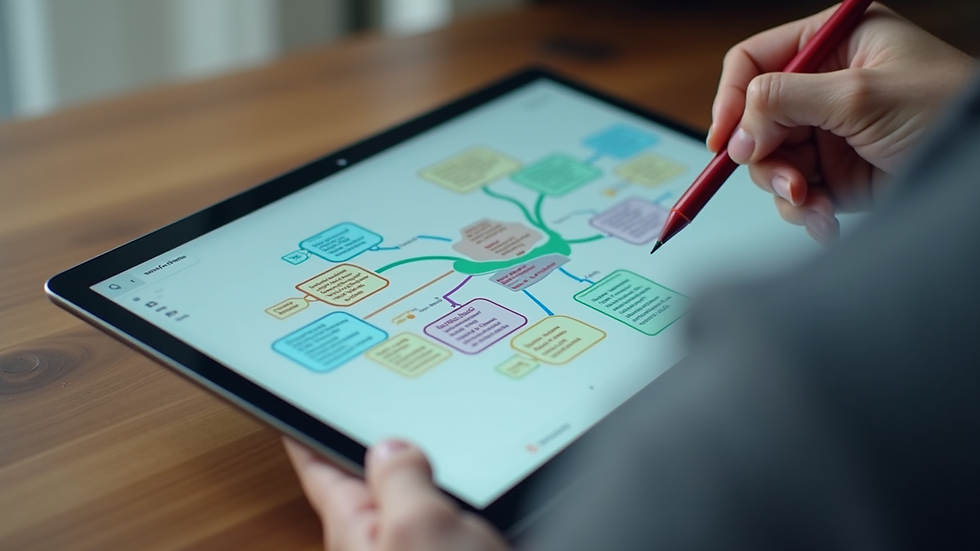
VoiceToVisual is a cutting-edge application designed to convert spoken language into visual representations. By leveraging advanced speech recognition technology, it captures your voice and translates it into images, diagrams, and other visual formats. This tool is particularly useful for those who learn better through visual aids or for anyone who wants to make their presentations more dynamic and engaging.
Key Features of VoiceToVisual
Real-Time Conversion: VoiceToVisual processes your speech in real-time, allowing for immediate visual feedback.
Customizable Visuals: Users can choose from a variety of visual styles and formats to best suit their needs.
User-Friendly Interface: The application is designed with simplicity in mind, making it accessible for users of all skill levels.
Integration Capabilities: VoiceToVisual can integrate with other applications, enhancing its functionality and usability.
How Does VoiceToVisual Work?
The process of using VoiceToVisual is straightforward. Here’s a step-by-step breakdown:
Speak Clearly: Begin by speaking into the microphone. The clearer your speech, the more accurate the visual representation will be.
Real-Time Processing: As you speak, the application captures your words and begins to generate visuals based on the content.
Review and Edit: Once the visuals are generated, you can review them and make any necessary adjustments to better fit your message.
Export and Share: After finalizing your visuals, you can easily export them for use in presentations, educational materials, or social media.

Benefits of Using VoiceToVisual
Enhanced Learning Experience
For educators, VoiceToVisual offers a unique way to engage students. By converting lectures into visual formats, teachers can cater to different learning styles, making lessons more accessible and enjoyable. Visual aids can help students grasp complex concepts more easily, leading to improved retention and understanding.
Increased Engagement
In a world filled with distractions, capturing an audience's attention is crucial. VoiceToVisual allows presenters to create visually appealing content that keeps viewers engaged. Whether you’re giving a lecture, hosting a webinar, or creating online content, the ability to present information visually can significantly enhance audience engagement.
Time-Saving Tool
Creating visuals from scratch can be time-consuming. VoiceToVisual streamlines this process, allowing users to focus on content creation rather than design. This efficiency is particularly beneficial for busy professionals and educators who need to produce high-quality materials quickly.
Practical Applications of VoiceToVisual
In Education
Teachers can use VoiceToVisual to create interactive lessons. For example, during a science class, a teacher can explain the water cycle while the application generates diagrams illustrating each stage. This not only reinforces the lesson but also provides a visual reference for students.
In Content Creation
Content creators can leverage VoiceToVisual to enhance their videos and podcasts. By incorporating visuals that align with their spoken content, they can create a more immersive experience for their audience. For instance, a cooking show host can describe a recipe while the application displays images of the ingredients and cooking steps.
In Personal Projects
Individuals working on personal projects, such as blogs or presentations, can benefit from VoiceToVisual as well. By transforming their thoughts into visuals, they can create compelling content that resonates with their audience. This is particularly useful for those who struggle with traditional design tools.
Tips for Maximizing VoiceToVisual
To get the most out of VoiceToVisual, consider the following tips:
Practice Your Speech: The clearer your speech, the better the visuals will be. Practice articulating your ideas before using the application.
Choose the Right Visual Style: Experiment with different visual styles to find what works best for your content. Some topics may benefit from diagrams, while others may require more illustrative visuals.
Engage with Your Audience: Encourage feedback from your audience to improve your presentations. Ask them what visuals resonate with them and adjust accordingly.
Challenges and Considerations
While VoiceToVisual offers numerous benefits, it’s essential to be aware of potential challenges:
Speech Recognition Limitations: The accuracy of the visuals depends on the clarity of your speech. Background noise or unclear articulation can lead to misinterpretations.
Learning Curve: Although the application is user-friendly, there may still be a learning curve for some users. Take the time to explore its features and functionalities.
Dependence on Technology: Relying solely on technology can be risky. Always have a backup plan in case of technical difficulties during presentations.
Future of VoiceToVisual
As technology continues to evolve, the potential for VoiceToVisual is vast. Future updates may include enhanced AI capabilities, allowing for even more accurate and sophisticated visual representations. Additionally, integration with virtual and augmented reality could revolutionize how we present and consume information.
Conclusion
VoiceToVisual is more than just a tool; it’s a gateway to transforming how we communicate. By converting speech into visuals, it enhances understanding, engagement, and retention. Whether you’re an educator, content creator, or simply someone looking to improve your communication skills, VoiceToVisual offers a powerful solution. Embrace this innovative technology and elevate your presentations to new heights.
Take the next step in your communication journey by exploring VoiceToVisual today!

Comments