Enhancing Communication: VoiceToVisual Makes Ideas Visible
- Claire McClintock
- Jun 23
- 4 min read

In a world where communication is key, the ability to express ideas clearly and effectively can make all the difference. Whether you are brainstorming with a team, presenting a project, or simply trying to convey a message, visual aids can enhance understanding and retention. Enter VoiceToVisual, a tool designed to transform spoken words into visual representations, making ideas not just audible but also visible. This blog post explores how VoiceToVisual can enhance communication and improve the way we share and understand information.
The Importance of Visual Communication
Visual communication is more than just a trend; it is a necessity in our fast-paced, information-rich environment. Research shows that people retain information better when it is presented visually. Here are some key reasons why visual communication is essential:
Improved Retention: Studies indicate that visuals can increase retention rates by up to 65%. When information is paired with images or diagrams, it becomes easier to remember.
Enhanced Understanding: Complex ideas can often be simplified through visuals. Diagrams, charts, and infographics can break down intricate concepts into digestible parts.
Engagement: Visuals capture attention more effectively than text alone. In presentations or discussions, engaging visuals can keep the audience focused and interested.
How VoiceToVisual Works
VoiceToVisual leverages advanced technology to convert spoken words into visual formats. Here’s how it works:
Voice Input: Users speak their ideas into the application.
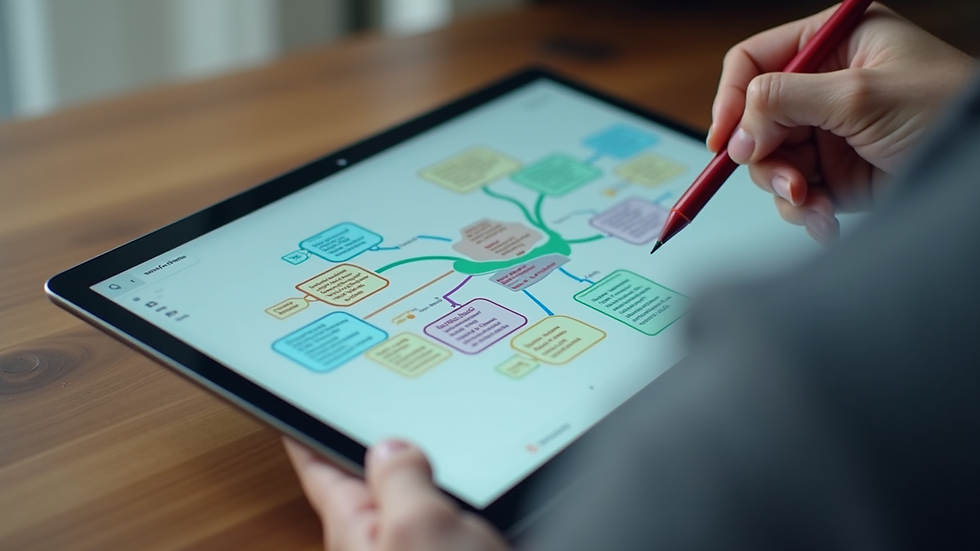
Real-Time Processing: The tool processes the audio input and generates visual representations, such as mind maps, diagrams, or flowcharts.
Customization: Users can customize the visuals to better fit their needs, adding colors, shapes, and other elements to enhance clarity.
Export Options: Once the visuals are created, they can be exported in various formats for sharing or presentation.
This seamless process allows users to focus on their ideas while the tool handles the visual representation.
Benefits of Using VoiceToVisual
1. Streamlined Idea Generation
VoiceToVisual simplifies the brainstorming process. Instead of jotting down notes that may become disorganized, users can speak their thoughts aloud. The tool captures these ideas and organizes them visually, making it easier to see connections and relationships between concepts.
2. Increased Collaboration
In team settings, collaboration is crucial. VoiceToVisual allows multiple users to contribute their ideas verbally, which can then be visualized in real-time. This fosters a more inclusive environment where everyone’s input is valued and represented.
3. Accessibility
Visual aids can make information more accessible to diverse audiences. For instance, individuals with learning disabilities or language barriers may find it easier to understand concepts when they are presented visually. VoiceToVisual caters to these needs by providing clear and engaging visuals.
4. Versatility Across Fields
Whether in education, healthcare, or creative industries, VoiceToVisual can be applied in various contexts. Educators can use it to create engaging lesson plans, while healthcare professionals can visualize patient data for better understanding. The versatility of this tool makes it a valuable asset in any field.
Practical Applications of VoiceToVisual
Education
In educational settings, VoiceToVisual can transform traditional teaching methods. Teachers can use the tool to create interactive lessons that engage students. For example, during a history lesson, a teacher might speak about significant events, and VoiceToVisual can generate a timeline that visually represents these events. This not only aids in retention but also encourages students to participate actively in their learning.
Project Management
In project management, clear communication is vital. Teams can use VoiceToVisual during meetings to brainstorm ideas and visualize project timelines. By converting discussions into visual formats, everyone can stay on the same page, reducing misunderstandings and ensuring that all team members are aligned with project goals.
Marketing
For marketers, presenting ideas visually can enhance campaigns. VoiceToVisual can help in creating compelling presentations that showcase marketing strategies or product concepts. By visualizing data and trends, marketers can communicate their messages more effectively to stakeholders.
User Experience and Feedback
The user experience with VoiceToVisual has been overwhelmingly positive. Users appreciate the intuitive interface and the ability to see their ideas come to life in real-time. Feedback highlights the following aspects:
Ease of Use: Users find the tool straightforward, allowing them to focus on their ideas rather than struggling with complicated software.
Visual Appeal: The ability to customize visuals makes the output not only functional but also aesthetically pleasing.
Time-Saving: Many users report that VoiceToVisual saves them time in preparing presentations or brainstorming sessions, allowing them to concentrate on content rather than formatting.
Challenges and Considerations
While VoiceToVisual offers numerous benefits, there are some challenges to consider:
Learning Curve: Although the tool is user-friendly, some users may require time to familiarize themselves with its features.
Dependence on Technology: Relying on technology for communication can be a double-edged sword. It’s essential to ensure that users are comfortable with the tool and have access to the necessary devices.
Quality of Audio Input: The effectiveness of VoiceToVisual relies on clear audio input. Background noise or unclear speech can affect the quality of the generated visuals.
Future of VoiceToVisual
As technology continues to evolve, so will tools like VoiceToVisual. Future developments may include:
Enhanced AI Capabilities: Improved algorithms could lead to even more accurate visual representations based on voice input.
Integration with Other Tools: VoiceToVisual could integrate with popular project management or educational platforms, streamlining workflows further.
Expanded Customization Options: Users may benefit from more advanced customization features, allowing for even greater personalization of visuals.
Conclusion
VoiceToVisual is more than just a tool; it is a bridge between spoken ideas and visual understanding. By enhancing communication through visual representation, it empowers users to express their thoughts clearly and effectively. As we continue to navigate a world filled with information, tools like VoiceToVisual will play a crucial role in making ideas visible and accessible to all.
The next time you find yourself struggling to convey an idea, consider using VoiceToVisual to transform your words into visuals. Embrace the power of visual communication and watch as your ideas come to life.


Comments